UMTv2 / UMTPro QcFire v14.3 – Samsung Special Update.
UMTv2 / UMTPro QcFire has received a new v14.3 update with special Samsung support and an updated internal loader database.
This update adds support for several Samsung Galaxy smartphones and tablets with different BIT versions. The update is useful for technicians and mobile servicing professionals working with supported Qualcomm-based Samsung devices.
Samsung Models Added.
- Galaxy A05s — SM-A057F — BIT-F
- Galaxy A05s — SM-A057M — BIT-F
- Galaxy A23 5G — SM-A236B — BIT-F
- Galaxy A23 5G — SM-A236E — BIT-F / BIT-G
- Galaxy A23 5G — SM-A236M — BIT-F
- Galaxy A23 5G — SM-S236DL — BIT-H
- Galaxy S22 5G — SM-S901N — BIT-9
- Galaxy S22+ 5G — SM-S906E — BIT-E
- Galaxy S24 Ultra — SM-S9280 — BIT-6
- Galaxy Tab A9+ — SM-X210 — BIT-C
- Galaxy Tab A9+ — SM-X210R — BIT-7
- Galaxy Tab S9 Ultra — SM-X916B — BIT-6
- Galaxy Tab S9+ — SM-X816B — BIT-6
- Galaxy XCover6 Pro — SM-G736B — BIT-C
- Galaxy Z Flip3 5G — SM-F711B — BIT-I
- Galaxy Z Flip6 — SM-F741B — BIT-4
- Galaxy Z Fold4 — SM-F936N — BIT-8
Other Update Details.
The QcFire v14.3 update also includes an updated internal loader database and improvements related to Samsung device connection and servicing.
For some newer Samsung devices, a special EDL connection method may be required. The exact connection method can vary depending on the device and firmware version.
RECOMMENDED TOOL
UMT Pro Dongle
A useful tool for mobile software servicing and supported device operations.
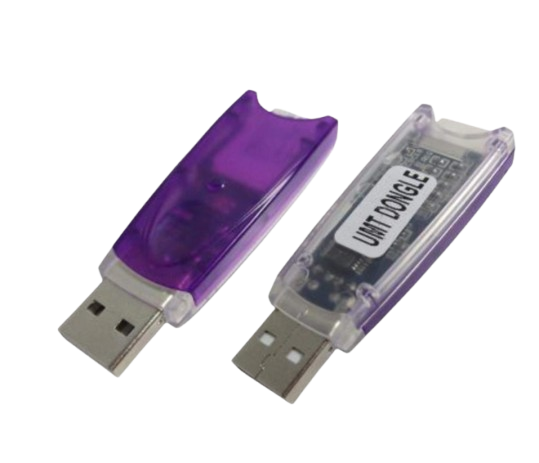
Looking for an UMT Dongle for your mobile servicing work? You can check the product and purchase it from Amazon.
Product availability and price may vary on Amazon.
QcFire v14.3
UMTv2 / UMTPro QcFire v14.3 is a Qualcomm servicing tool with various firmware, backup, security and device servicing functions. The new release specifically adds the Samsung models listed above.
If you work with Samsung software servicing, check the exact model number and BIT version before starting any operation.
Download UMT QcFire v14.3
To download UMTv2 / UMTPro QcFire v14.3, use UMT Support Access. Connect your UMT Box/Dongle to the PC, run Support Access, and download the required setup from the Installer folder.
📥 UMT QcFire v14.3 Update & Download Information
🔐 Password for Installers:
UmtTeam