Karbonn Alfa A91 Storm Flash File (Stock ROM)-shri telecom

          Karbonn Alfa A91 Storm Flash File (Stock ROM) 
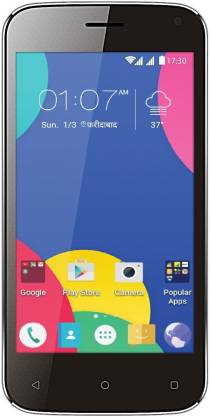

https://www.shritelecommobilerepairing.com/


1- Download the package & Extract SPD Flash tool.

2- Out of the icon appearing, Double click on UpgradeDownload.exe.

3- It will Launch the SPD tool on PC & Laptop.

4- Click on Load Packed button & Select the Firmware with extension .pac at end.

5- Click on Downloading button which is at third position.

6- Switch off your Mobile & connect it to PC using Volume down & Volume Up key.

7- It will lead your Mobile to Successful flashing.

Download:-Karbonn Alfa A91 Storm Flash File 

Download:-SPD TOOL

Join Us on Telegram (Shri_Telecom)Click Here:-https://t.me/Shri_Telecom

Join Us on Facebook Page (Shri Telecom)Click Here:-https://www.facebook.com/ShriTelecom/

Subscribe Now Us on YouTube (Shri Telecom)Click Here:-https://bit.ly/35uRdh4


Previous
Next Post »
SHRI TELECOM

🤝 Support Shri Telecom

If any tool, software, or mobile and computer information on our website helps you solve a problem or successfully complete your work, you can support Shri Telecom. Your support helps us provide better support and more useful content in the future.

SHRI TELECOM

🤝 Support Shri Telecom

If Shri Telecom has helped you with any Mobile or Computer Software, Tool, Tutorial, or technical problem, you can support us.

Shri Telecom Support QR Code

Scan the QR code to support Shri Telecom.

Thank you for your support.